Catalogo Hive
Panoramica
Le Catalogo Hive è un catalogo di metadati ampiamente utilizzato per Spark, Hadoop e ambienti Big Data. Al suo interno, memorizza schemi di tabelle, posizioni e altri metadati in un database centrale chiamato Hive Metastore. In questo modo Spark e altri motori di calcolo possono trovare e accedere in modo coerente alle tabelle in più processi e sessioni.
In termini più semplici, Hive Catalog is like a registry or "table of contents" for your data lake. It keeps track of which tables exist, their schemas, partitions, and where their data physically resides (for example, on HDFS, S3, or MinIO).
Ilum integra profondamente Hive Catalog, rendendolo il catalogo predefinito per tutte le query, i processi e i gruppi SQL, a meno che non ne venga specificato un altro.
A differenza dei cataloghi simili a Git (ad esempio, Nessie), Hive tiene traccia solo del Stato più recente di ogni tavolo; lo fa non Supporta la diramazione, la cronologia dei commit o il viaggio nel tempo nell'intero catalogo. Tuttavia, è affidabile, maturo e universalmente compatibile con un enorme ecosistema.
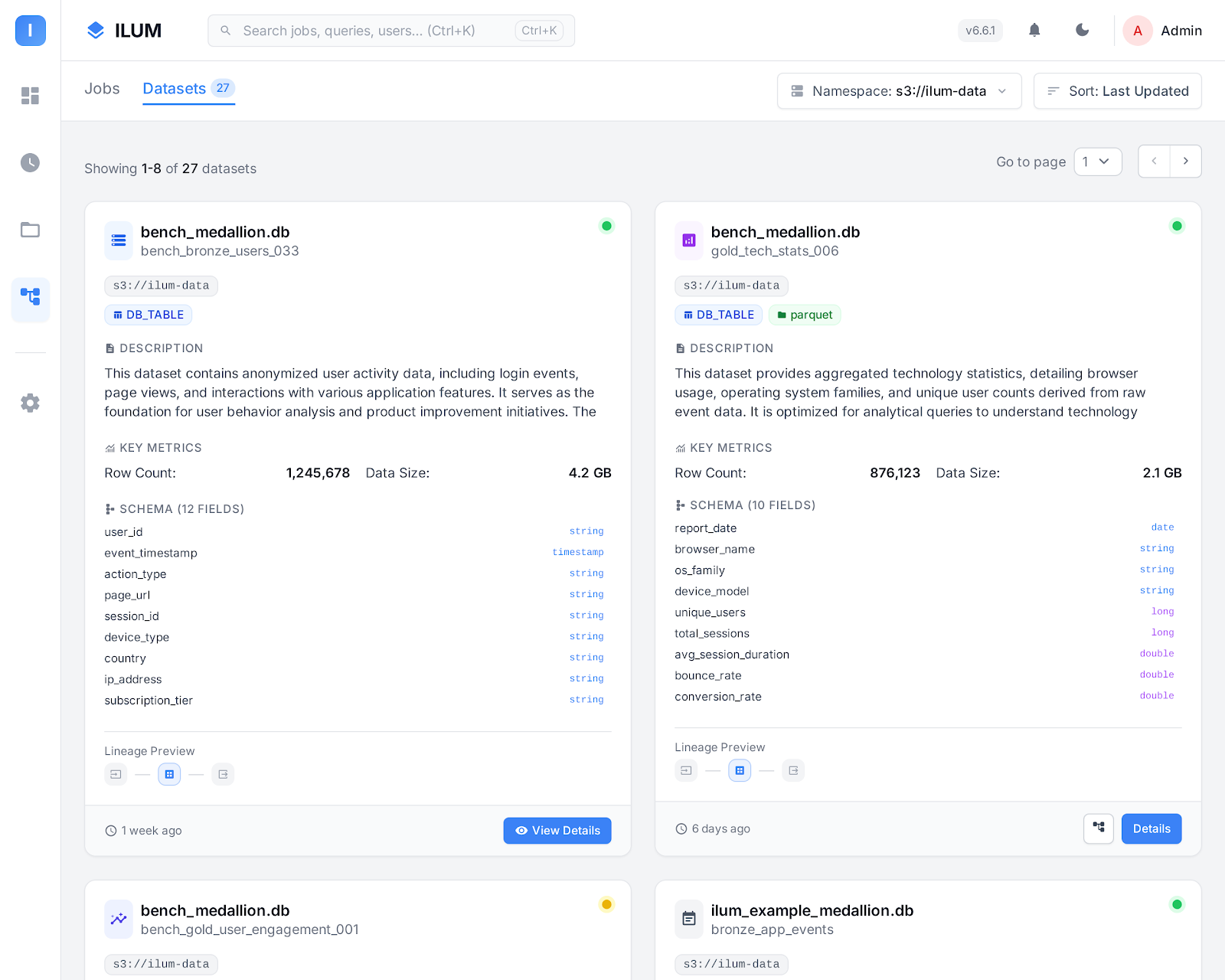
Confronto tra Hive e altri cataloghi di dati
Here’s how Hive Catalog compares with modern alternatives like Nessie or AWS Glue:
-
Nessun controllo di versione: Hive keeps only the most recent version of each table. It does not support branching, tagging, or commit history at the catalog level. To track historical states, you must rely on table-format-specific features (like Iceberg’s or Delta’s time travel), not Hive itself.
-
Metadati centralizzati: Gli schemi, le posizioni e il partizionamento delle tabelle vengono archiviati nel database Hive Metastore. In questo modo si garantisce metadati coerenti in tutti i processi e i motori Spark che usano il catalogo.
-
Compatibilità universale: Hive Metastore è supportato da quasi tutti i motori di big data (Spark, Hive, Trino, Flink e così via), il che lo rende un'impostazione predefinita sicura per gli ambienti a tecnologia mista.
-
Nessuna transazione multitavolo: Le transazioni atomiche a livello di catalogo (che coprono più tabelle contemporaneamente) sono non sostenuto. Ogni operazione DDL/DML viene gestita separatamente.
-
Nessun isolamento dei rami: To isolate dev/staging/prod environments, you must maintain multiple catalogs or databases, or physically copy data. There is no "branching" mechanism built in.
Concetti di base nel catalogo Hive
Hive Metastore
Le Hive Metastore è un servizio e un database di backup (spesso PostgreSQL o MySQL) in cui sono memorizzati tutti i metadati relativi a tabelle, viste e partizioni.
Ogni volta che Spark o un altro motore esegue una query su una tabella, cerca i dettagli nel metastore Hive.
Tabelle, database e archiviazione
- Tabelle Definisci lo schema e la posizione di archiviazione dei tuoi set di dati.
- Banche dati in Hive sono presenti spazi dei nomi per il raggruppamento di tabelle correlate.
- Ubicazione del magazzino è la cartella radice (in HDFS, S3 o altro archivio) in cui risiedono i file di dati della tabella.
Utilizzo del catalogo Hive in Ilum
Ilum configura automaticamente il catalogo Hive come predefinito per i processi Spark, le query del visualizzatore SQL e i gruppi di pipeline.
È possibile eseguire comandi SQL standard come:
CREARE BANCA DATI SE NON ESISTE mydb;
CREARE TAVOLO SE NON ESISTE mydb.vendite (dattero CORDA, importo INT);
INSERIRE IN mydb.vendite VALORI ('2025-06-01', 1000);
SELEZIONARE * DA mydb.vendite;
Configurazione di Spark per Hive
Se si esegue Spark manualmente, impostare questi parametri per abilitare il supporto Hive:
spark.sql.catalogImplementation=hive
spark.hadoop.hive.metastore.uris=thrift://ilum-hive-metastore:9083
Tuttavia Ilum se ne occupa per te in all standard workflows. No manual configuration is required.
Configurazione del metastore Hive in Ilum
In genere, l'utilizzo di Hive Catalog richiede:
- Installazione del servizio Hive Metastore.
- Configurazione di un database di backup (come PostgreSQL o MySQL) per i metadati.
- Connessione del servizio al tuo object storage (HDFS, S3, MinIO, GCS, WASBS).
- Configurazione delle opzioni di sicurezza, rete e archiviazione.
Ilum automatizza tutti questi passaggi!
Quando si distribuisce Ilum tramite Helm, viene eseguito il provisioning dell'integrazione del metastore, del database e dell'archiviazione di oggetti di Hive.
Abilitazione del metastore Hive
Per abilitare Hive Metastore in Ilum, aggiungere questi flag all'aggiornamento/installazione di Helm:
Aggiornamento dell'elmo  \
    --mettere ilum-hive-metastore.enabled=vero \
    --mettere ilum-core.metastore.enabled=vero \
    --mettere ilum-core.metastore.type=alveare \
    --riutilizzare-valori ilum ilum/ilum
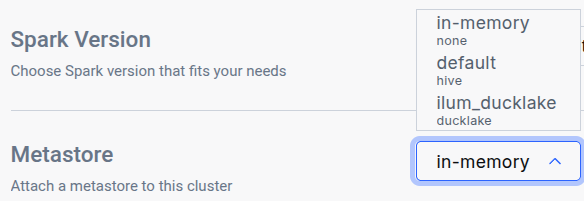
After running the Aggiornamento dell'elmo command, navigate to the Edit Cluster tab for the cluster where you want to use the catalog and select it in the General metastore dropdown:
Utilizzo delle credenziali PostgreSQL personalizzate
Se si desidera utilizzare un database PostgreSQL personalizzato per il metastore Hive:
Aggiornamento dell'elmo \
    --mettere postgresql.auth.username=customuser \
    --mettere postgresql.auth.password="CHOOSE PASSWORD"  \
    --riutilizzare-valori ilum ilum/ilum
Configurare Hive Metastore per l'uso di tali credenziali:
Aggiornamento dell'elmo \
    --mettere ilum-hive-metastore.postgresql.auth.password="CHOOSE PASSWORD" \
    --mettere ilum-hive-metastore.postgresql.auth.username=customuser \
    --riutilizzare-valori ilum ilum/ilum
Configurazione di Hive Metastore: archiviazione
L'archiviazione, nota anche come magazzino, è la posizione in cui vengono archiviati i dati effettivi. Hive supporta vari back-end di archiviazione, tra cui:
- HDFS (File system distribuito Hadoop)
- Amazon S3 Benne e MinIO
- Google Cloud Storage (GCS)
- BLOB di archiviazione di Windows Azure (WASBS)
In genere, è necessario configurare una di queste opzioni di archiviazione e configurare di conseguenza la connessione al metastore di Hive all'interno di un file XML.
Tuttavia, con IlumLe S3 MinIO l'archiviazione è preconfigurata per l'utente e il metastore Hive è già configurato per l'uso per impostazione predefinita. Configurazione di altri back-end di archiviazione
Se si preferisce usare un back-end di archiviazione alternativo, è possibile configurare Hive per usarlo riconfigurando i valori helm:
Per S3 stoccaggio o MinIO:
Aggiornamento dell'elmo
    --mettere ilum-hive-metastore.storage.type="S3" \
    --mettere ilum-hive-metastore.storage.metastore.warehouse="s3a://yourbucket/yourfolder" \
    --mettere ilum-hive-metastore.storage.s3.accessKey="your_access_key" \
    --mettere ilum-hive-metastore.storage.s3.secretKey="your_secret_key" \
    --mettere ilum-hive-metastore.storage.s3.host="yourhost" \
    --mettere ilum-hive-metastore.storage.s3.port=yourport \
    --riutilizzare-valori ilum ilum/ilum
Per GCS:
Aggiornamento dell'elmo
    --mettere ilum-hive-metastore.storage.type="gcs" \
    --mettere ilum-hive-metastore.storage.metastore.warehouse="gs://my-gcs-bucket/path/to/folder/" \
    --mettere ilum-hive.metastore.storage.gcs.clientEmail="your@email" \
    --mettere ilum-hive-metastore.storage.gcs.privateKey="yourprivatekey" \
    --mettere ilum-hive-metastore.storage.gcs.privateKeyId="privatekeyid" \
    --riutilizzare-valori ilum ilum/ilum
Per WASBS:
Aggiornamento dell'elmo
    --mettere ilum-hive-metastore.storage.type="wasbs" \
    --mettere ilum-hive-metastore.storage.metastore.warehouse="wasbs://[email protected]/path/to/folder/" \
    --mettere ilum-hive-metastore.storage.wasbs.accountName="youraccountname" \
    --mettere ilum-hive-metastore.storage.wasbs.accessKey="youraccesskey" \
    --riutilizzare-valori ilum ilum/ilum
Per HDFS:
Qui sarà necessario specificare le configurazioni hdfs in
ilum-hive-metastore.storage.hdfs.config
Puoi fornirli in hdfs-config.yaml:
Aggiornamento dell'elmo
    --mettere ilum-hive-metastore.storage.type="hdfs" \
    --mettere ilum-hive-metastore.storage.metastore.warehouse="hdfs://node:port/path/to/folder" \
    --mettere ilum-hive-metastore.storage.hdfs.hadoopUsername="yourusername" \
    --riutilizzare-valori ilum ilum/ilum \
    -f hdfs-config.yaml
Hive 4 deployment
Ilum supports Apache Hive 4.x metastores alongside the default Hive 3.x deployment. A single Ilum instance can serve both versions concurrently — each Metastore record routes to the correct backend automatically based on its Versione campo.
When to use Hive 4
- New transactional metadata features (
SCHEDULED_QUERIES,STORED_PROCS,DATACONNECTORS, REST catalog). - Smaller standalone-metastore distribution (~443 MB image vs. 1.4 GB full Hive distribution).
- Schema migrations are simpler —
schematool -initOrUpgradeSchemais idempotent in Hive 4.
Differences from Hive 3 you should know
- The Hive 4 image is operations-only —
start-metastoreeschematool. There is noalveareCLI, nobeeline, nometatool. If operators rely onmetatoolper-listFSRoot,-updateLocationo-executeJDOQL, keep a Hive 3 deployment. - A Hive 3 client cannot drive a Hive 4 server. Spark's bundled Hive client is older than Hive 3, so any cluster querying a Hive 4 metastore must use the matching Spark image (see "Spark: use the Hive 4 Spark image" below).
- Migration from Hive 3 to Hive 4 is in place — Ilum runs
schematoolin-initOrUpgradeSchemamode whenmajorVersion: 4is set, and existing databases, tables, partitions, and column statistics are preserved without a data dump. The upgrade is idempotent, so re-running against an already-v4 schema is a no-op. A single Postgres database can only host one Hive schema version at a time, so running v3 and v4 side by side requires separate databases (see "Mixed v3 + v4" below).
Helm: deploying a Hive 4 metastore
Aggiornamento del timone Ilum Ilum/Ilum \
    --mettere ilum-hive-metastore.image=ilum/hive:4.2.0 \
    --mettere ilum-hive-metastore.majorVersion=4 \
    --mettere ilum-core.metastore.hive.version=4.2.0 \
    --valori-di-riutilizzo
All three flags are required and must be set in lockstep:
ilum-hive-metastore.image— the Hive 4 image. Use Ilum's publishedilum/hive:4.2.0; the stock upstreamapache/hive:standalone-metastore-4.ximages lack the PostgreSQL JDBC driver and cannot connect to the bundled PostgreSQL backend.ilum-hive-metastore.majorVersion— selects v4 mode in the metastore chart (init/upgrade behavior and start command).ilum-core.metastore.hive.version— should match the Hive 4 image's version. The Ilum backend uses the major component to route between the Hive 3 and Hive 4 clients; values starting with4.select the Hive 4 client.
Helm rejects an install o upgrade that sets these inconsistently — the chart's template-time check fires with a clear error naming the two flags that need to align. The check applies only when the bundled metastore is enabled and the Ilum backend is configured to target it; deployments using an external Hive Metastore are not gated by the check.
Upgrading an existing Hive 3 deployment in place
The same three flags upgrade an existing Hive 3 deployment to Hive 4 in place, preserving the contents of the metastore database. The upgrade has been verified end-to-end against a populated Hive 3 database: existing tables remain queryable and writes continue to succeed after the upgrade.
Pre-flight
- Snapshot the metastore database. Always take a backup before upgrading production data, even though the upgrade is designed to be resumable on failure.
- Plan a maintenance window. The metastore is unavailable while the schema upgrade runs. Expect under two minutes on a small metastore (< 10k tables); larger catalogs take proportionally longer.
Run the upgrade
-
Run
Aggiornamento dell'elmowith the three lockstep flags. Helm will reject the command if any of the three is missing or inconsistent.Aggiornamento del timone Ilum Ilum/Ilum \
--valori-di-riutilizzo \
--mettere ilum-hive-metastore.image=ilum/hive:4.2.0 \
--mettere ilum-hive-metastore.majorVersion=4 \
--mettere ilum-core.metastore.hive.version=4.2.0 -
Wait for the Hive Metastore and Ilum backend Pods to roll out. The new Hive Metastore Pod runs the schema upgrade in its init container before serving requests.
kubectl rollout status -n $NS sts/ilum-hive-metastore
kubectl rollout status -n $NS deploy/ilum-core
Update the cluster's Spark image
- Spark clusters attached to a Hive 4 metastore must run the matching Spark image. Set the default cluster's container image to the
-delta-hive4variant either in the Edit Cluster UI (set Container image Ailum/spark:4.1.2-delta-hive4) or via API ondefaultApplicationConfig.spark.kubernetes.container.image. The Spark configuration needed to use the v4 client is injected automatically; selecting the image is the only required step.
Verify
-
Confirm post-upgrade health via the API:
GET /api/dev/reactive/metastorereturns the default metastore record withversion="4.2.0". -
Run a representative SQL workload to confirm pre-upgrade tables are still queryable and writes still succeed:
MOSTRARE DATABASES;
MOSTRARE TABELLE IN <db>;
SELEZIONARE * DA <db>.<tavolo> LIMIT 10;
INSERIRE IN <db>.<tavolo> VALORI (...);
Rollback
To roll back, restore the metastore database from the snapshot taken in step 1, then re-run Aggiornamento dell'elmo with the original Hive 3 flags (ilum-hive-metastore.image=ilum/hive:3.1.3, ilum-hive-metastore.majorVersion=3, ilum-core.metastore.hive.version=3.1.3) and swap the cluster's Spark image back to the standard (non -hive4) variant.
Helm values are the source of truth for the default metastore
The default Metastore record is created from the Ilum backend's helm values at startup. The address, Versionee warehouseDir fields are overwritten from helm on every pod restart, so a Aggiornamento dell'elmo that changes any of them takes effect automatically on the next rollout. The descrizione e configuration fields are preserved across restarts and are the right place for per-deployment customisations (such as extra Spark or Hive client settings).
Changes made to address, Versioneo warehouseDir directly through the API or UI will not survive a restart. To change them durably, update the helm values and run Aggiornamento dell'elmo.
For deployments that use an externally-managed Hive Metastore, ilum-core.metastore.hive.version is the operator's responsibility to keep aligned with the external service's actual major version.
Spark: use the Hive 4 Spark image
Stock Spark images cannot drive a Hive 4 metastore because their bundled Hive client is too old. Ilum publishes a Spark image with the Hive 4 client pre-staged:
ilum/spark:4.1.2-delta-hive4
Set this as the cluster's container image whenever the cluster is attached to a Hive 4 metastore:
- Nel Edit Cluster UI, set Container image A
ilum/spark:4.1.2-delta-hive4. - Or via API on the cluster's
defaultApplicationConfig:spark.kubernetes.container.image=ilum/spark:4.1.2-delta-hive4.
No further Spark configuration is needed; the relevant settings are injected automatically when the metastore record's Versione starts with "4.". The image is compatible with Hive 4.0, 4.1, and 4.2 metastores.
To use a custom Spark image with the Hive 4 client at a different path, set spark.sql.hive.metastore.jars on the metastore record's configuration map — the entry there takes precedence over the default.
Mixed v3 + v4 in one Ilum instance
Both a Hive 3 and a Hive 4 Metastore can be registered in the same Ilum instance — Ilum routes per-record to the matching client. Two extra constraints when running them side by side:
- Separate Postgres databases. A single database can host only one Hive schema version. Set
--set ilum-hive-metastore.postgresql.database=metastore_v4(or any unused name) on the Hive 4 release; Hive 3 stays on the defaultmetastoredatabase. The umbrella chart'spostgresExtensions.databasesToCreateneeds the extra database name so the bootstrap job creates it. - Two clusters. Each cluster's Spark image must match its metastore's Hive version. Run two clusters and attach each to the corresponding metastore record.
Best practice e raccomandazioni
- Usa Hive per la massima compatibilità: Hive Metastore is the universal “common denominator” for big data engines.
- Per il controllo della versione, utilizzare Iceberg o Nessie: If you need branching, time travel, or commit history, combine Hive Catalog with a table format (like Iceberg) that supports these features, or use Nessie as your catalog.
- Proteggi il tuo metastore: Usare sempre credenziali complesse e restrizioni di rete per il database e il servizio Hive Metastore.
- Monitora lo stoccaggio in magazzino: Assicurati che il tuo magazzino (MinIO, S3, HDFS, ecc.) sia sottoposto a backup e monitorato per verificarne lo stato e lo spazio disponibile.
Ulteriori informazioni
Per ulteriori informazioni sull'utilizzo di Hive Catalog, vedere la Documentazione di Hive Metastore.
Per la configurazione dettagliata di Ilum e il riferimento Helm, visitare il sito Guida introduttiva a Ilum.
Hive Catalog in Ilum combines ease of use, automation, and broad compatibility, giving you a robust foundation for SQL analytics and data engineering at scale.