Kestra Integration: Declarative Spark Orchestration
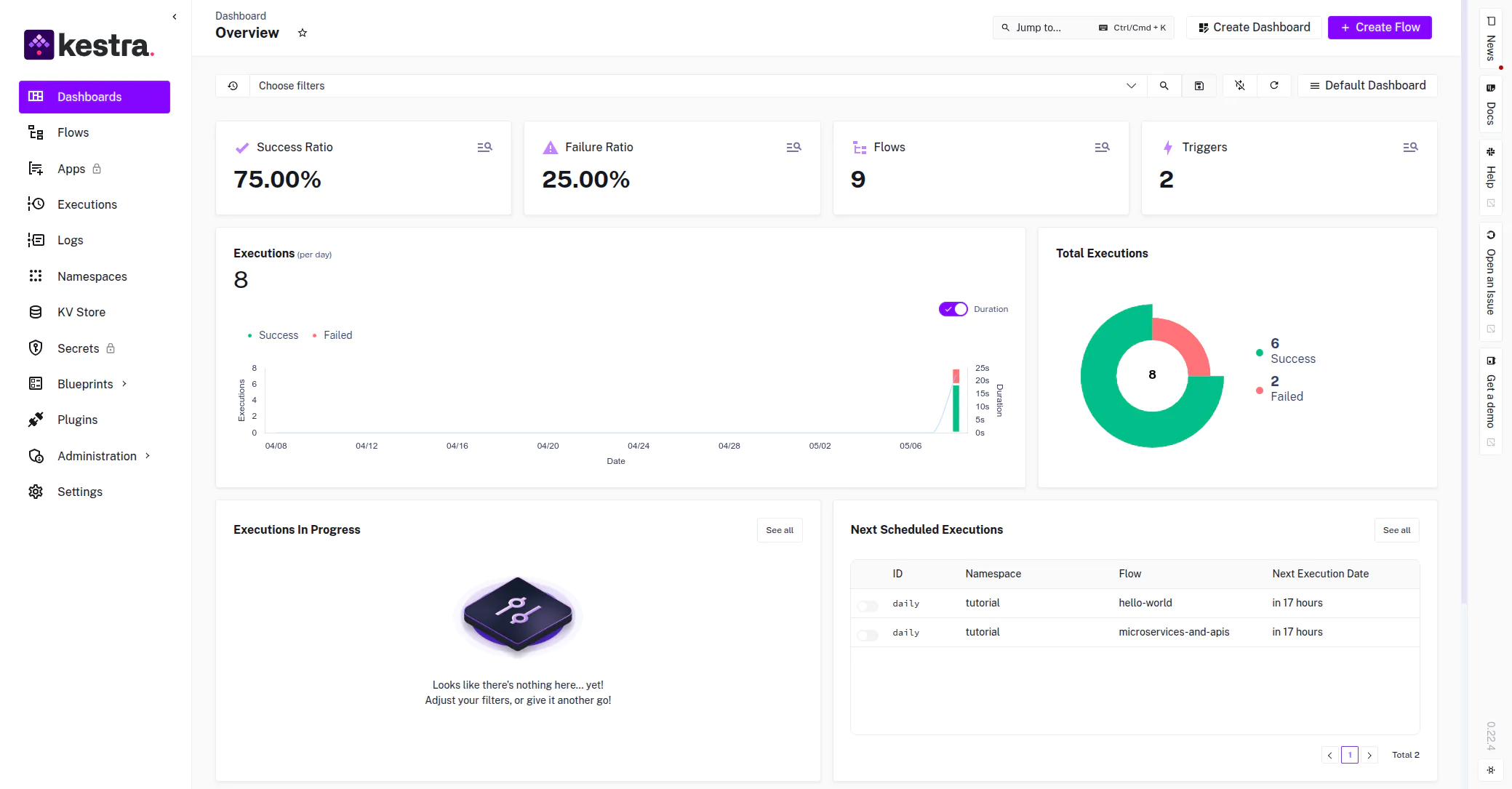
Panoramica
Kestra is an open-source data orchestration platform that enables the definition of complex pipelines through a declarative YAML syntax. By integrating Kestra with Ilum, engineering teams can combine Kestra's orchestration capabilities with Ilum's Spark-on-Kubernetes execution engine to build robust, scalable data workflows.
This integration allows for the decoupling of workflow logic from execution logic: Kestra manages the dependencies, scheduling, and triggers, while Ilum manages the Spark lifecycle, resource allocation, and Kubernetes pod orchestration.
Architectural Interaction
The integration relies on the native scintilla-invio protocol proxied through Ilum's control plane. The communication flow for a Spark job submission is as follows:
- Workflow Trigger: Kestra initiates a task based on a schedule, API call, or external event.
- Task Execution: The Kestra Worker executes the
SparkCLIplugin task. - Submission: The Spark Client initiates a REST request to Ilum's Core component (
nucleo dell'ilum: 9888), which emulates a Spark Master interface. - Orchestrazione: Ilum translates the request into a Kubernetes
SparkApplicationor manages the driver pod directly, applying resource quotas and scaling policies. - Monitoraggio: Kestra polls the execution status while Ilum provides real-time logs and metrics.
Installation & Prerequisites
Kestra is packaged as an optional module within the Ilum platform.
Kestra is not enabled by default in Ilum. Check out the Production Deployment guide for detailed installation instructions.
Additionally, if you want to use any Ilum features from inside Kestra, make sure your Kestra worker has access to the ilum-core service.
When the Kestra module is enabled, you should be able to access the Kestra UI from Ilum’s sidebar menu.
You can also use the direct port-forwarding method to access the Kestra UI:
kubectl port-forward svc/ilum-kestra 8080:8080
After issuing the command, navigate to http://localhost:8080/external/kestra.
Configuring Spark Workflows
Defining a Spark job in Kestra involves creating a flow that uses the io.kestra.plugin.spark.SparkCLI task.
This task wraps the standard Spark submission process.
Basic Workflow Structure
The following YAML definition demonstrates a standard Spark batch job submission.
Id: scintilla-dati-ingestion
Namespace: com.enterprise.data
descrizione: "Daily ingestion pipeline utilizing Ilum Spark cluster"

Ingressi:
  - Id: jar_location
    digitare: CORDA
    defaults: "s3a://data-lake-artifacts/jobs/spark-job-1.0.jar"
  - Id: main_class
    digitare: CORDA
    defaults: "com.enterprise.data.IngestionJob"

Attività:
  - Id: submit-scintilla-job
    digitare: io.kestra.plugin.spark.SparkCLI
    Comandi:
      - |
        scintilla-invio \
        --master spark://ilum-core:9888 \
        --deploy-mode cluster \
        --conf spark.master.rest.enabled=vero \
        --conf spark.executor.instances=2 \
        --conf spark.executor.memory=4g \
        --conf spark.executor.cores=2 \
        --class {{ inputs.main_class }} \
        {{ inputs.jar_location }}
Configuration Parameters Explained
--master spark://ilum-core:9888: This targets Ilum’s virtual Spark Master. Unlike a standard standalone master, this endpoint is backed by Ilum’s orchestration logic, which handles the Kubernetes scheduling.--deploy-mode cluster: Critical. This instructs the client to launch the driver program inside the cluster (managed by Ilum). Usingclientemode would attempt to run the driver within the Kestra worker pod, which is not recommended for production due to resource contention and network isolation.--conf spark.master.rest.enabled=vero: Enables the REST submission protocol required for communicating with the Ilum control plane.
The Spark JAR file specified in {{ inputs.jar_location }} must be accessible by the Spark Driver pod spawned by Ilum.
Recommended storage backends include S3 (MinIO), HDFS, or GCS.
Local file paths from the Kestra worker are non accessible to the Spark cluster.
Alternatively, you can use Kestra’s object storage upload - e.g. io.kestra.plugin.aws.s3.Upload task to upload the JAR to some accessible S3 bucket.
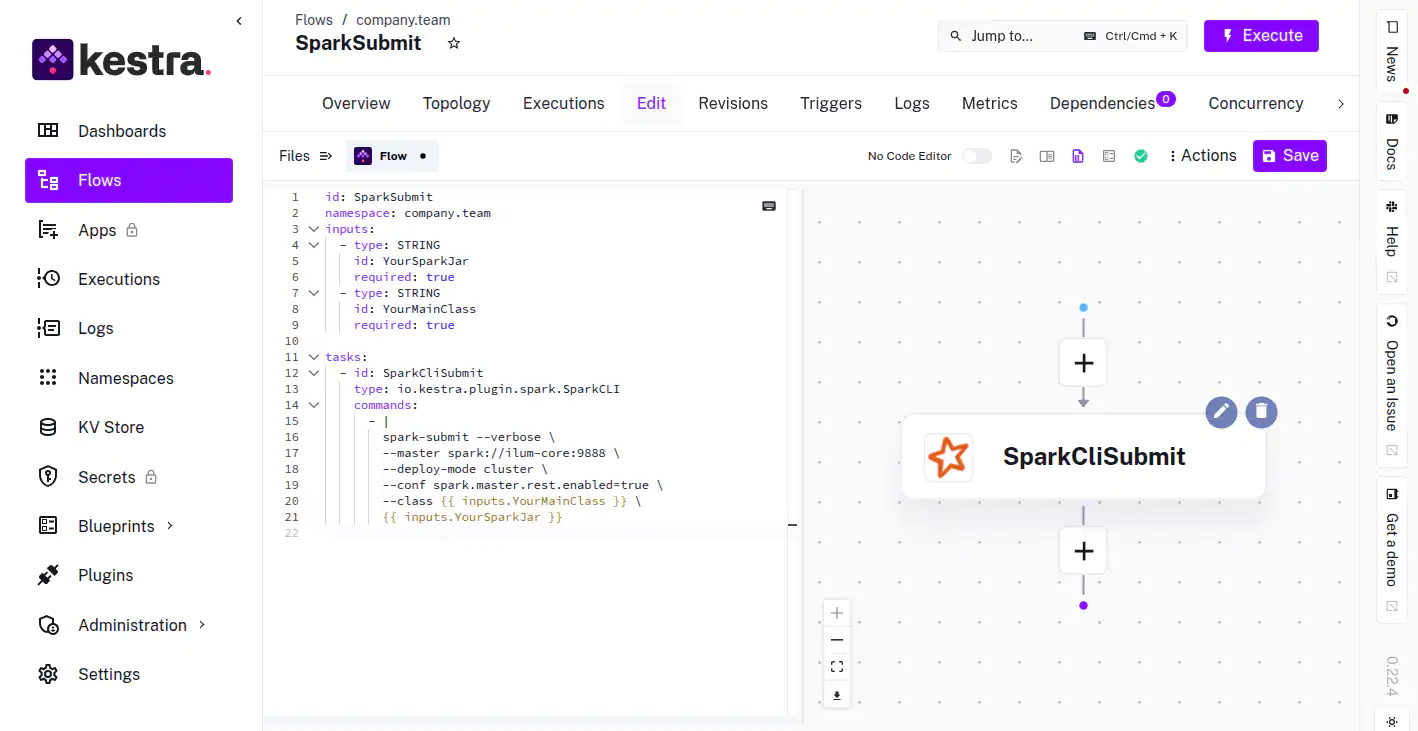 Visual representation of the workflow DAG in Kestra
Advanced Workflow Patterns
1. Dynamic Parameter Injection
Pass runtime variables such as execution dates or upstream data paths into your Spark application arguments.
Attività:
  - Id: daily-aggregation
    digitare: io.kestra.plugin.spark.SparkCLI
    Comandi:
      - |
        scintilla-invio \
        --master spark://ilum-core:9888 \
        --deploy-mode cluster \
        --conf spark.master.rest.enabled=vero \
        --class com.etl.Aggregator \
        s3a://bucket/jars/etl.jar \
        --date {{ execution.startDate | date("yyyy-MM-dd") }} \
        --input-path s3a://raw-data/{{ execution.startDate | date("yyyy/MM/dd") }}/
2. Parallel Execution
Execute multiple independent Spark jobs concurrently to maximize cluster utilization.
Attività:
  - Id: parallel-elaborazione
    digitare: io.kestra.core.tasks.flows.Parallel
    Attività:
      - Id: job-region-eu
        digitare: io.kestra.plugin.spark.SparkCLI
        Comandi: ["spark-submit ... --class com.jobs.EUJob ..."]

      - Id: job-region-us
        digitare: io.kestra.plugin.spark.SparkCLI
        Comandi: ["spark-submit ... --class com.jobs.USJob ..."]
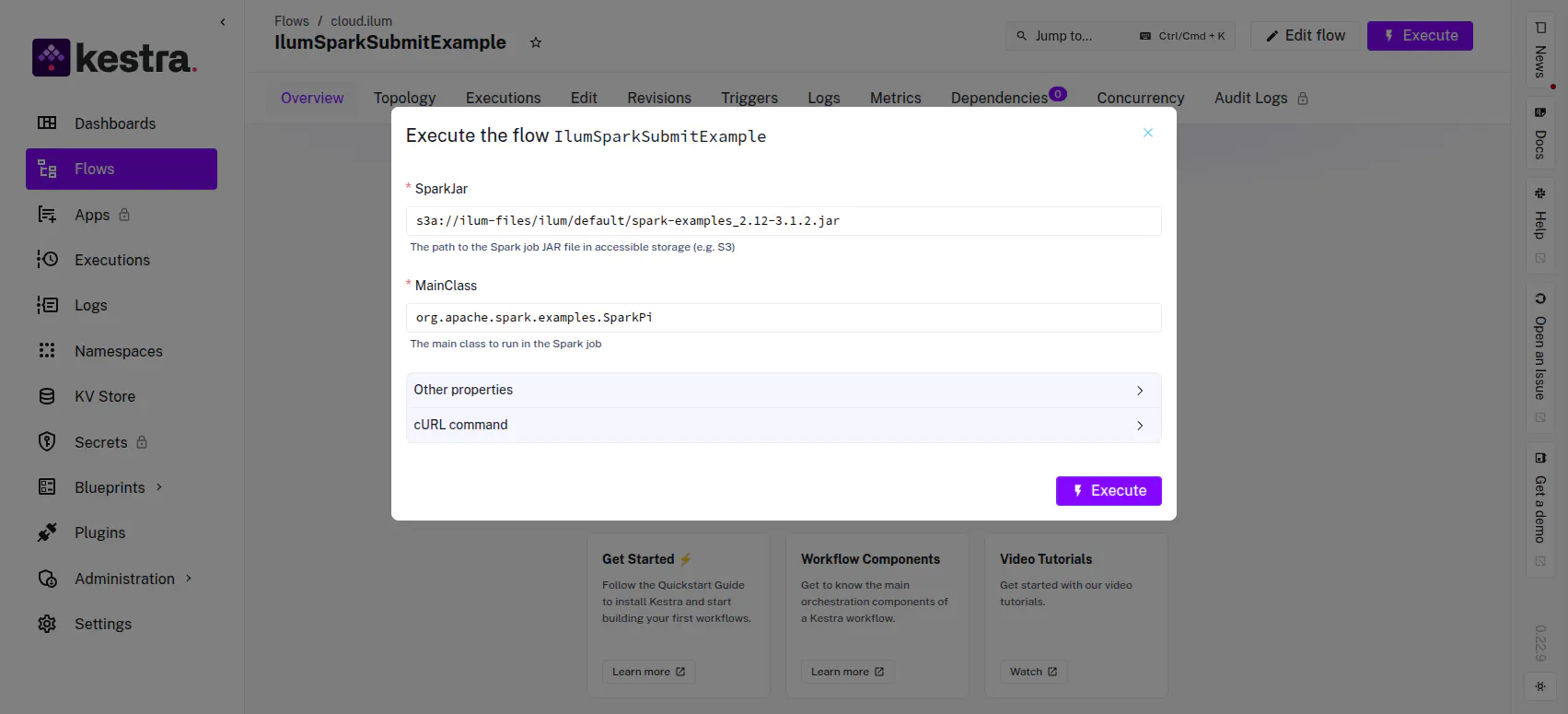 Execution triggers allow for dynamic input parameters
Performance Engineering: Optimization of Submission Latency
By default, Kestra may launch a new Docker container for each task execution. For high-frequency workflows, the overhead of spinning up a container and initializing the JVM for the Spark Client can introduce latency.
Host-Process Execution Strategy
To eliminate container startup overhead, you can configure Kestra to execute the scintilla-invio command directly in the host process of the Kestra worker. This requires a custom worker image with Spark binaries pre-installed.
1. Build Custom Worker Image
Crea un Dockerfile that layers the Spark client binaries onto the Kestra base image.
# Usa l'immagine ufficiale di Kestra come base
DA kestra/kestra:v1.3.15

UTENTE root

# Install Spark Client Dependencies
RUN apt-get update && apt-get install -y curl tar openjdk-17-jre-headless && \
    rm -rf /var/lib/apt/lists/*

# Scarica e installa spark-submit
ENV SPARK_VERSION=4.1.2
RUN curl -O https://dlcdn.apache.org/spark/spark-${SPARK_VERSION}/spark-${SPARK_VERSION}-bin-hadoop3.tgz && \
    tar -xzf spark-${SPARK_VERSION}-bin-hadoop3.tgz -C /opt && \
    mv /opt/spark-${SPARK_VERSION}-bin-hadoop3 /opt/spark && \
    rm spark-${SPARK_VERSION}-bin-hadoop3.tgz

# Configure Path
ENV PATH=$PATH:/opt/spark/bin
ENV SPARK_HOME=/opt/spark

# Restore Kestra user
UTENTE kestra
WORKDIR /app
PUNTO DI INGRESSO ["docker-entrypoint.sh"]
CMD ["--help"]
2. Configure Task Runner
Modify your workflow to use the Process task runner, bypassing the Docker isolation for the submission step.
Attività:
  - Id: low-latency-submission
    digitare: io.kestra.plugin.spark.SparkCLI
    taskRunner:
      digitare: io.kestra.plugin.core.runner.Process
    Comandi:
      - |
        scintilla-invio \
        --master spark://ilum-core:9888 \
        --deploy-mode cluster \
        --conf spark.master.rest.enabled=vero \
        --class {{ input. YourMainClass }} \
        {{ ingressi. YourSparkJar }}
Observability & Debugging
Job Correlation
When a workflow is executed:
- Kestra UI: Displays the
scintilla-inviologs (stdout/stderr), providing immediate feedback on the submission status. - Interfaccia utente di Ilum: The job appears in the "Applications" view. The Spark Driver logs provide the deep execution details.
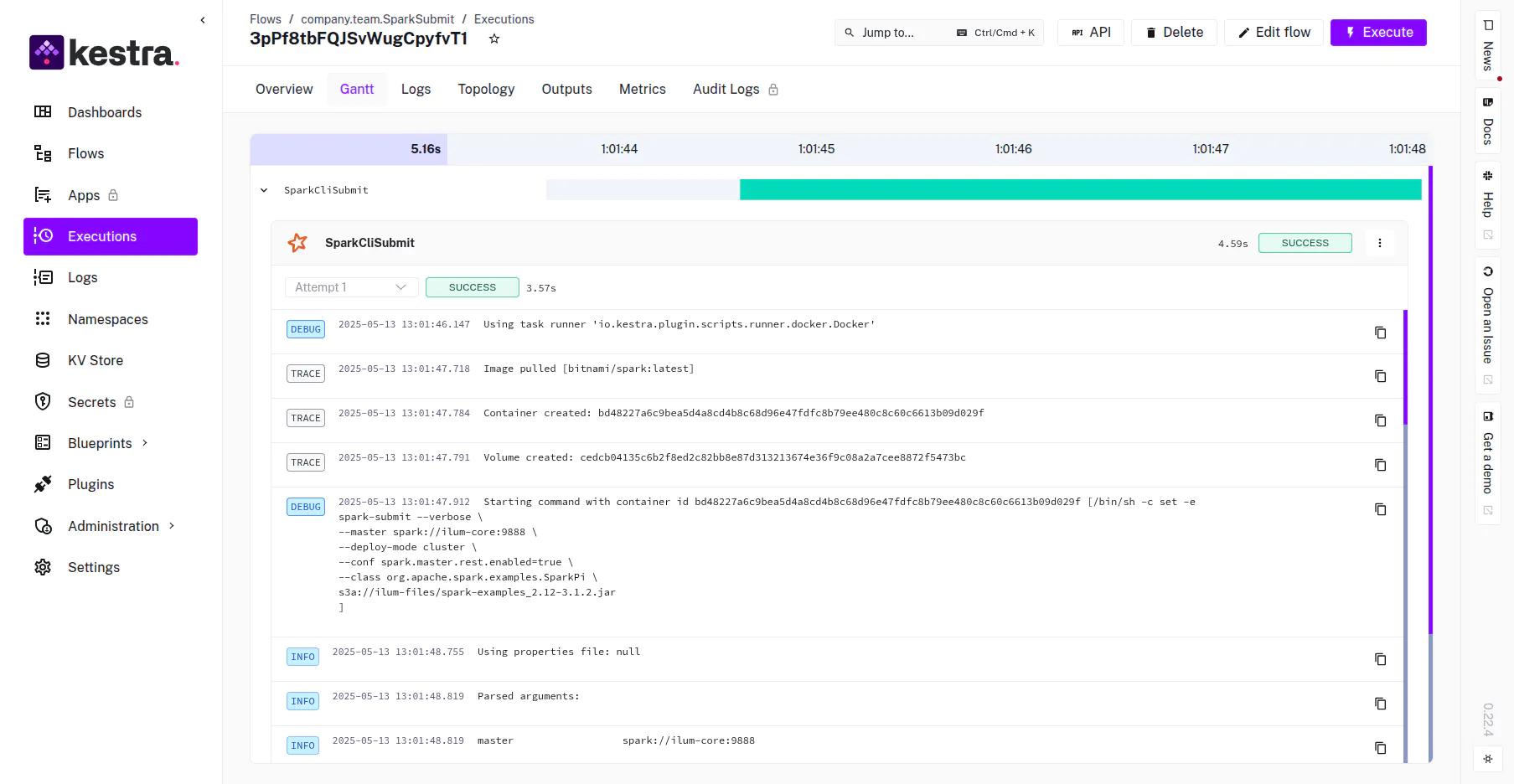 Kestra execution timeline showing task duration and status
Failure Handling
Spark jobs may fail due to transient cluster issues (e.g., preemption). Configure automatic retries in Kestra to handle these gracefully.
Attività:
  - Id: resilient-scintilla-job
    digitare: io.kestra.plugin.spark.SparkCLI
    retry:
      digitare: constant
      interval: PT5M
      maxAttempt: 3
    Comandi: ...
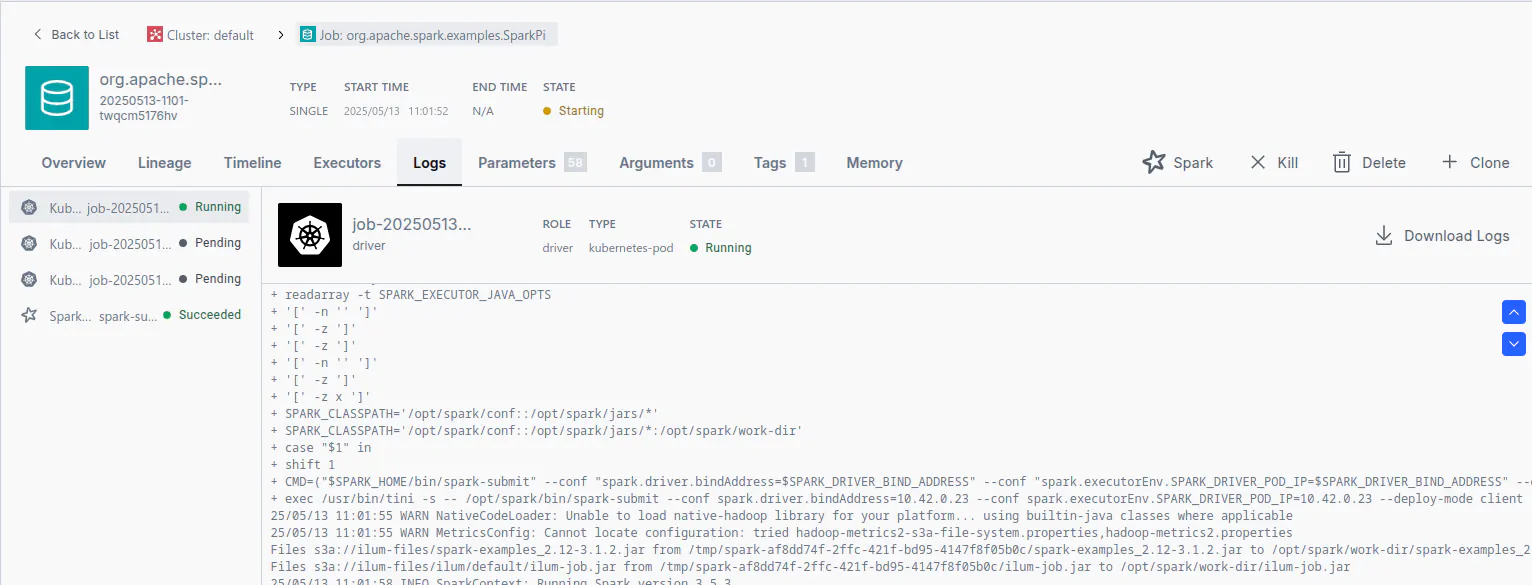 Verification of the job execution within the Ilum Dashboard